Why Is My Electric Gate Not Opening? Troubleshooting Common Issues
It’s a familiar frustration: you press the remote, and nothing happens. You press it again, and still, the heavy steel gate remains firmly in place. Your day is interrupted, your car is trapped, and you’re left wondering if the problem is the remote, the motor, or something else entirely. An electric gate that won’t open is more than an inconvenience; it can be a genuine safety concern.
The good news is that most gate failures are surprisingly simple to diagnose. By understanding how your automatic gate system works, you can often identify the culprit before calling in a professional. This guide covers the most common reasons why an electric gate won’t open and provides practical, safe troubleshooting steps you can try yourself.
Key Takeaways
- Start with the fundamentals: Check the power supply, circuit breaker, and remote batteries first. Most issues are resolved here.
- Safety features are a frequent culprit: Misaligned photocell sensors or debris on the track can prevent your gate from operating.
- Look for blinking lights: Your gate opener’s control board is trying to tell you something with its error codes.
- Know your manual override: Every gate has a release mechanism so you can safely operate it during a power outage or failure.
- Know your limits: Avoid bypassing safety systems or attempting complex electrical repairs. Call a licensed technician when in doubt.
Check the Basics: Power and Remote
Before you dive into mechanical parts, you need to rule out the simplest explanations. The entire gate system is useless without electricity, and the remote is just a fancy radio transmitter without a charge.
Verify Power Supply
Your gate operator needs a consistent power supply to function. If the power is interrupted, the gate will remain in its current position. Start by locating the breaker panel for your property. Look for a tripped breaker or a blown fuse that controls the outdoor outlets or the dedicated circuit for your gate. Reset any tripped breakers and check the GFCI outlet that the gate opener is plugged into. Sometimes, a simple power surge or moisture can cause a GFCI outlet to trip. Press the reset button on the outlet itself to see if that restores power.
Inspect Remote Batteries
The remote control is your primary interface, and dead batteries are one of the most common reasons an electric gate won’t open. Most gate remotes use 12-volt alkaline batteries (often type A23 or 27A). If you have a spare set, swap them out to see if that resolves the issue. A weak battery might still light up the small LED on the remote, but it won’t have enough juice to transmit a strong signal to the receiver, especially from a distance. Replacing the batteries is a cheap and easy first step.
Test the Remote Control and Programming
If you have fresh batteries in the remote and the gate still won’t open, the next step is to determine if the remote itself is the problem. Is it just this one remote, or is the keypad and all other remotes failing too? This will help isolate the issue.
Reprogram the Remote
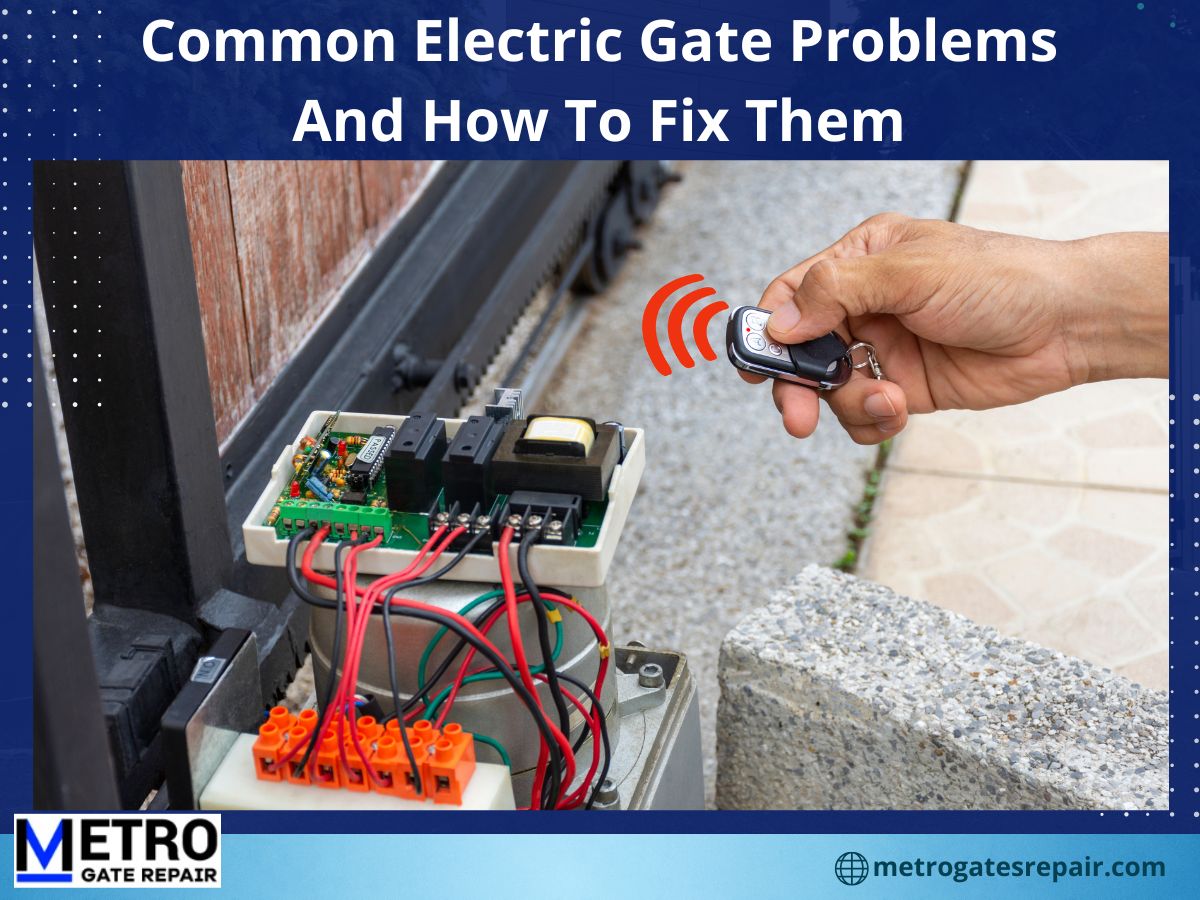
Over time, the rolling code or frequency of your remote can become out of sync with the receiver. This is more common in older models or after a power outage. Consult your gate opener manual for the specific reprogramming procedure. Typically, this involves pressing a button on the control box (often a “Learn” or “Set” button) and then pressing a button on your remote to sync the new code. If you don’t have a manual, you can often find it online on the manufacturer’s website by searching for your model number.
Check for Signal Interference
Other electronic devices can interfere with your remote’s signal. Things like new outdoor LED lighting, a new wireless router, or a neighbor’s powerful transmitter might be causing issues. Try standing much closer to the gate and pressing the remote. If it works from close range, this is a strong indicator of signal interference. You may need to reposition your receiver antenna or consider upgrading to a newer remote system with a more robust frequency.
Inspect the Safety Sensors
Automatic gates are equipped with safety mechanisms to protect people and vehicles. According to the UL 325 safety standard for gate operators, these features are mandatory. Sometimes, these very safety features are what keep your gate from opening.
Align Photocell Sensors
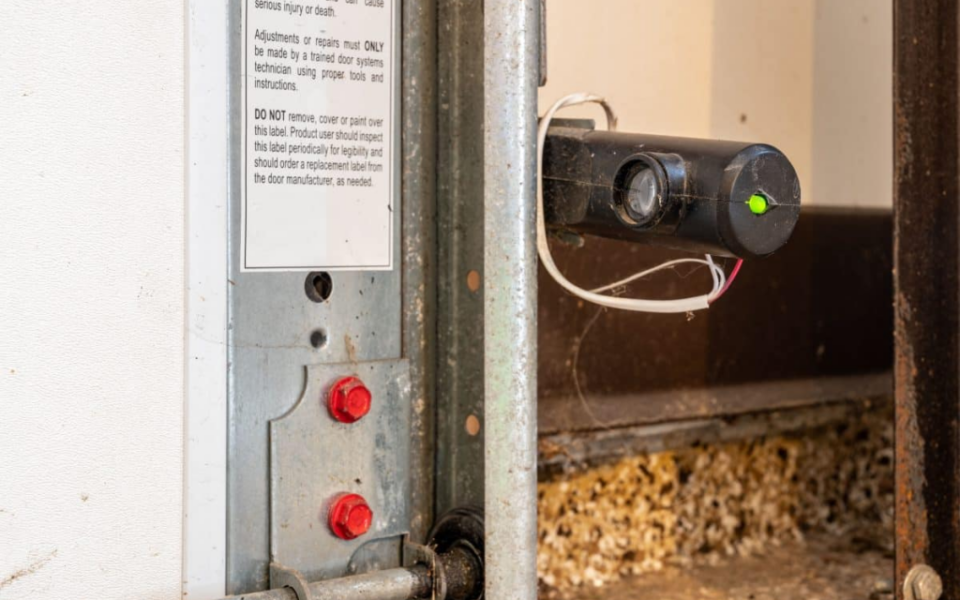
Most modern gates use photocell sensors (often called “eyes”) that are mounted on each side of the gate’s opening. They send an invisible infrared beam across the driveway. If that beam is broken, the logic board assumes something is in the way and will refuse to open or close the gate. The beam can be broken by any object or by simply having the sensors knocked out of alignment. Check to ensure nothing is blocking the path and that the sensors are pointing directly at each other. Many sensors have a small LED light that glows when they are aligned and working properly.
Suggested read: Electric Gate Troubleshooting: Identifying and Fixing Common Issues
Clear Obstructions
While the photocells are a primary safety component, many gates also have a built-in obstruction detection system. If the gate motor senses too much resistance while trying to open, it will stop and reverse to prevent damage. This is a safety feature, but it can be triggered by simple problems like a rock stuck under the gate, a thick pile of leaves in the track, or the gate being slightly jammed against its post. Inspect the entire path of the gate and clear any debris that could be creating friction.
Diagnose Mechanical Issues
If you have power, fresh batteries, and clear sensors, it’s time to look at the physical side of things. Mechanical failures are common in older gates or those that haven’t received regular maintenance.
Check the Gate Track and Hinges
For sliding gates, the gate rolls along a track on the ground. Examine the track for any large debris, stones, or damage. Clean it out and see if the gate moves freely. For swing gates, the hinges are a common failure point. Over time, hinges can become seized or rusted, or the gate can sag and scrape against the ground. Visually inspect the hinges and the bottom of the gate to see if anything is obstructing its movement. Sometimes, a little silicone lubricant on the hinges or track can do wonders, but always use the right type of grease recommended for gate hardware.
Inspect the Drive Mechanism
The drive mechanism is the part of the gate motor that physically moves the gate. Depending on your system, this could be a chain, a screw drive, or a rack-and-pinion gear. Inspect the drive chain or screw for signs of wear, breakage, or having come off its sprocket. If the motor is humming or buzzing but the gate isn’t moving, this is often a clear sign of a problem in the drive mechanism or a worn-out motor capacitor.
Understand Control Board and Error Codes
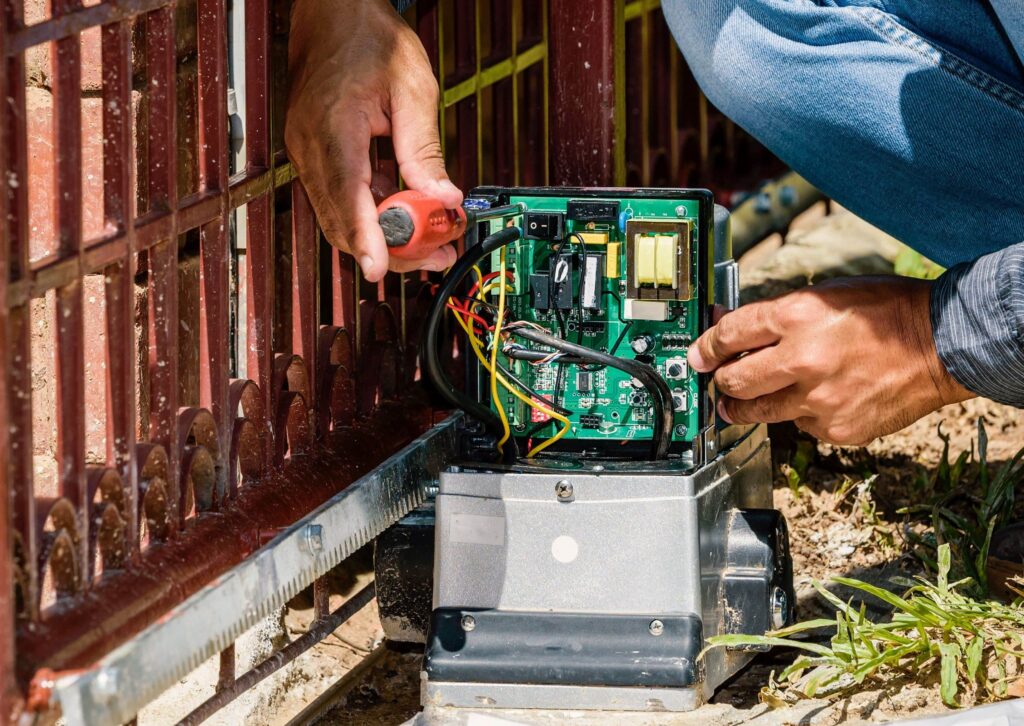
The control board (or logic board) is the brain of your gate system. It receives commands from your remote, monitors safety devices, and powers the motor. When a problem occurs, it usually communicates via a series of blinking LED lights or an audible beep.
Reset the Opener
A simple reset can clear minor errors or glitches in the logic board. The reset procedure varies by manufacturer, so it’s best to consult your specific model’s manual. A common method is to unplug the gate operator from its power source, wait for about 30 seconds to a minute, and then plug it back in. This can reset the system and clear a temporary fault. Some models have a dedicated “Reset” button on the control box.
Read Error Codes
If the gate beeps or flashes a light pattern when you try to use it, that code is a diagnostic clue. For example, if your opener beeps but the gate doesn’t move, it could be indicating a problem with the safety loop or a motor fault. Look at the control board’s warning light. Different patterns of flashing may indicate different errors. Consult your owner’s manual or the manufacturer’s website to decode the specific flashes. This will tell you if the issue is with the safety sensors, a limit switch, or the motor itself.
Manual Override and Emergency Operation
If your gate is completely stuck due to a power outage, a major malfunction, or a fire, you need to know how to operate it manually. Every automatic gate opener is equipped with a manual release mechanism. This is a vital safety feature that allows you to disengage the motor so the gate can be pushed open by hand.
First, locate the manual release. On most sliding gate operators, this is a keyed lock or a lever on the side of the motor housing. On swing gate operators, it is usually a release key on the arm. Once you disengage the clutch, the gate becomes free-swinging or free-sliding. You can then push it open manually. Important Safety Warning: With the manual release disengaged, your gate is no longer under motor control. It could be moved by the wind or unexpectedly. Always return the opener to its normal operating mode by re-engaging the clutch once the power is restored or the issue is repaired.
When to Call a Professional
While many basic checks are safe to do yourself, some situations demand a licensed technician. Call a professional if:
- You see exposed wiring or signs of fire damage.
- The motor is making loud grinding or burning smells.
- You suspect a problem with the high-voltage electrical components.
- The gate is off its track and is difficult or heavy to move.
- Your attempts to reset the system don’t resolve an error code.
- You are not confident in performing the diagnostic steps safely.
An electric gate is a heavy, powerful piece of machinery. Attempting to fix electrical or mechanical problems without experience can be dangerous. The National Electrical Code (NEC) and manufacturers specify that repairs to gate operators should be performed by a qualified technician. A professional will have the tools and knowledge to diagnose the issue accurately and repair it safely.
Suggested read: Electric Gate Motor Repair: Common Issues & Fixes
Conclusion
Knowing why your electric gate isn’t opening starts with a methodical approach. By ruling out the simple problems first—like a tripped circuit breaker or dead remote batteries—you can often save yourself a service call. Understanding how the safety sensors and control board work helps you interpret the signals your gate is sending you. And most importantly, knowing how to safely use the manual override and when to step back ensures your safety and the longevity of your gate.
*This article is for informational purposes only and is not a substitute for professional repair. Always consult your specific gate and opener manufacturer’s manual for detailed instructions, and prioritize safety when handling electrical components or heavy moving machinery.*
If your gate remains unresponsive after trying these steps, it may be time to get a professional eye on the problem. Contact a local, licensed gate repair specialist to get your gate back in working order.
Frequently Asked Questions
Why is my electric gate not opening when I press the remote?
This is most often caused by a dead remote battery or a loss of power to the gate operator. Start by replacing the remote batteries, then check the breaker panel and GFCI outlet. If the gate still doesn’t respond, try reprogramming the remote or moving closer to the gate to rule out signal interference.
What should I check first if my electric gate won’t open?
Always start with the basics: check for a tripped circuit breaker or a blown fuse, and verify that the gate opener’s power outlet has power. Then, test your remote control with fresh batteries. If the gate makes a clicking sound or the motor hums, the problem is more likely mechanical or related to a safety sensor.
How do I reset my electric gate opener?
Most modern gate openers can be reset by unplugging the main power supply for 30 seconds to a minute and then plugging it back in. Some models have a dedicated “Reset” button on the control box. Refer to your specific manufacturer’s manual for the correct procedure for your unit.
Can a dead battery in the remote or the gate cause it not to open?
Yes. A dead remote battery is a very common cause. The remote uses its small battery to send a radio signal to the receiver. While many gate openers have a backup battery for emergency operation, a dead backup battery in the operator itself can also prevent the gate from functioning during a power outage.
Why is my electric gate only sometimes opening?
Intermittent operation often points to a low battery in the remote, loose wiring connections at the control board, or a partially aligned safety sensor. It can also be a sign of signal interference from other electronics nearby, which is why the remote may work from one spot but not another.
What does it mean when my gate opener beeps but the gate doesn’t move?
This beeping or flashing light is an error code from the control board. Different beep patterns correspond to different issues—like a fault in the safety loop a motor overload, or a problem with the limit switches. You’ll need to decode the pattern by consulting your manual or the manufacturer’s website.
How do I manually open my electric gate when the power is out?
Locate the manual release mechanism, which is usually a keyed lock or a lever on the motor housing. Insert the key and turn it (or pull the lever) to disengage the gate from the motor. Once disengaged, you can push the gate open by hand. Be aware that the gate will be free-swinging until you re-engage the clutch.
Is there a safety mechanism that could prevent the gate from opening?
Yes. Photocell sensors are a mandated safety standard under UL 325. If the beams are misaligned or obstructed, the control board will prevent the gate from moving. This is a built-in safety mechanism to prevent the gate from crushing an object or person, but it is also the cause of many seemingly inexplicable malfunctions.
Suggested read: Electric Gate Repair: Troubleshooting & Solutions Guide
What are the most common causes of an electric gate not opening?
The most common causes include dead remote batteries, a tripped circuit breaker, misaligned photocell sensors, and obstructions on the gate track or hinges. These simple issues account for a large majority of service calls. More complex problems involve the motor capacitor, control board, or drive chain, which require professional diagnosis.
When should I call a professional for electric gate repair?
You should call a professional if you’ve checked the basic power and remote issues and the problem persists. Also, call if you see exposed wiring, make out a burning smell, need to replace a faulty drive chain, or if the gate is structurally damaged. Never bypass safety sensors or attempt repairs on high-voltage components yourself.
For a related perspective, see our electric gate troubleshooting.
Sources & References
- Source: FAAC Gate Automation Technical Documentation (documentation)
FAAC is a global gate automation manufacturer; their technical docs cover photocell alignment, control board error codes, and manual override procedures. [verified topical overlap: gate] - Source: OSHA Electrical Safety Guidelines for Workplace Equipment (documentation)
Federal safety guidelines supporting the article's recommendation to disconnect power before physical inspection or adjustment of electric gate systems. [verified topical overlap: electric] [source_origin: project_reuse] [source_origin: project_reuse] - Source: UL 325 Safety Standard for Door, Drapery, Partition, and Window Operators (official)
Primary safety standard governing automatic gate operators, addressing safety sensors, emergency stop functions, and installation requirements [verified topical overlap: gate] [source_origin: project_reuse] [source_origin: project_reuse]